You just got a great customer quote approved. The kind that answers the exact question buyers keep raising, from a customer in the segment you have been trying to crack. You pull up the homepage to see where it should go, and there they are, the same three testimonials that went up eighteen months ago. Changing them means filing a request, and the request goes into a queue, and the queue is full of work that is shipped ahead of it. So the new quote lands in a doc, the doc lands in a folder, and your website keeps introducing you with proof from two product launches ago.
That request is going to sit there next quarter too. With a different quote. Waiting on the same queue.
According to 6sense, B2B buyers complete 70 to 80% of their research before they ever contact your sales team. They read your site and they compare. More of them now ask an AI tool to sum you up, and that tool reads your site too. When the customer proof on it is stuck at whatever last made it through the update queue, buyers are judging you on a version that is months behind the one your team could stand behind today.
Fresh customer proof changes every week, and your website update process was built for the opposite
No one in this chain is slow. The web manager owns the page, and hand-swapping testimonials every few weeks is exactly the kind of manual upkeep they would rather automate away. The product marketer and content creator want the message on the page to match the message everywhere else. And the customer marketer who got the quote approved is watching a win they earned sit in a folder instead of on the site. Everyone is doing the job in front of them.
The problem is structural. In an AI-native system, customer proof arrives constantly, a new quote this week, a churned logo to pull the next, a fresher win than the one currently on the page, but all of it runs through a workflow designed for the occasional code change. This process relies on external queues, which is too slow for content that changes frequently. A wall of proof that no one can afford to maintain slowly stops telling the truth about who your customers are.
Peerbound for AEO is quick to stand up, and then it runs without anyone touching it
The fix is a website module that updates itself. A feed that pulls your approved customer proof onto the page with the newest content so the site stays current without anyone editing it by hand.
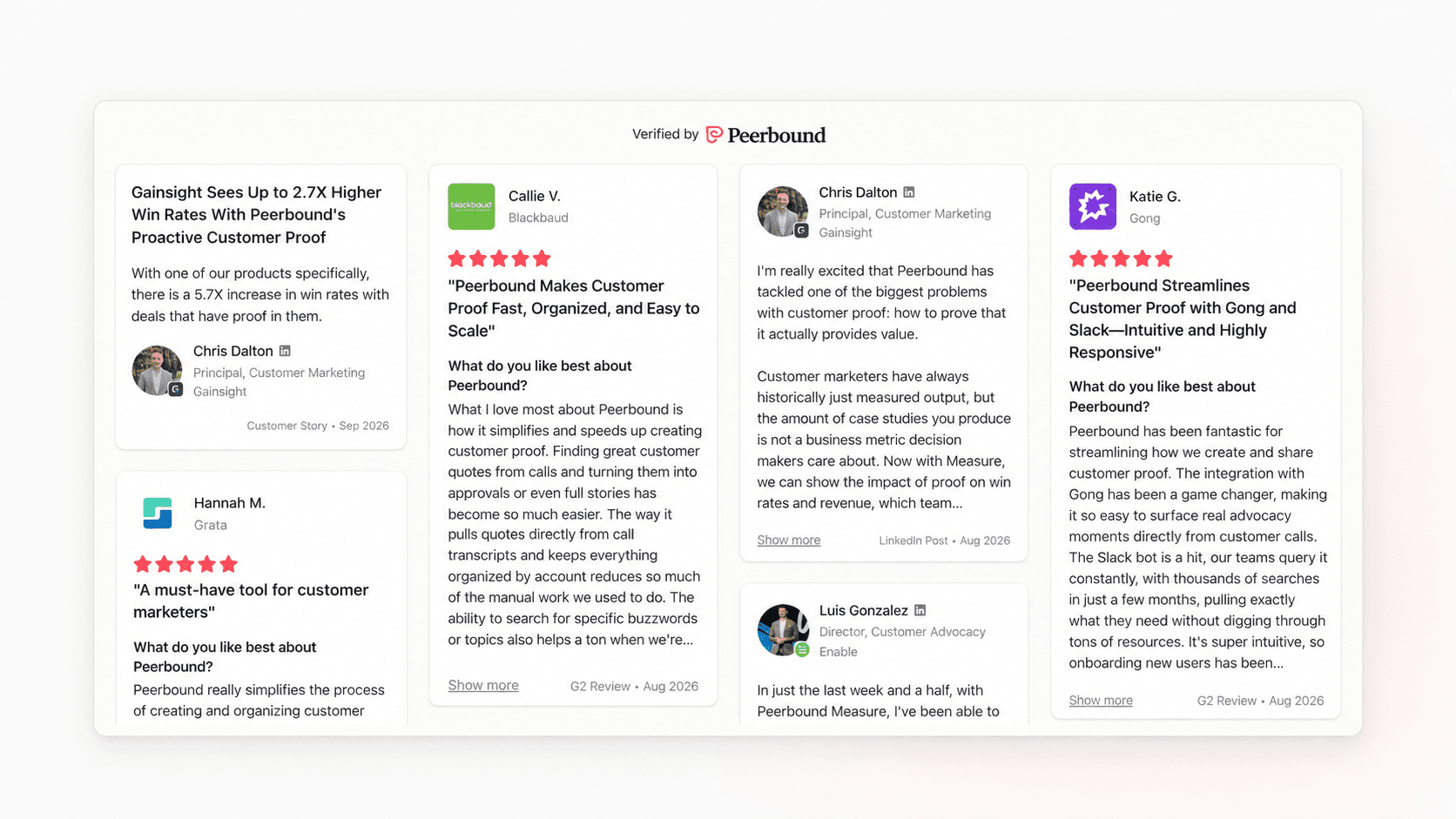
This is where Peerbound comes in. Peerbound for Web embeds your approved customer proof directly on your site through a customizable widget that pulls straight from your Peerbound collection. Getting it live is a short job, not a project.
At Virtru (a verified Peerbound customer), a data encryption and privacy company, a Senior Frontend Engineer named Connor Byram stood it up himself. In his words, "The Peerbound for AEO implementation was easy and the documentation for building filters and CSS overrides was CRYSTAL clear. I got it up and running in an hour."
You set it up once. Byram does not get pulled back in every time there is new proof to show, because keeping the page current is no longer a code change. The widget does it on its own.
New approved proof posts itself, and the churned logo drops off without a ticket
Here is what running on its own looks like in practice. When you approve a new quote, story, or review in Peerbound, it appears on your site automatically, newest first, so your freshest proof leads. When a customer churns or you retire a piece of proof, it comes off the site the same way, without anyone opening the code. You can point different embeds at different pages and filter each one by a CRM field like industry, so your security landing page shows security customers and your manufacturing page shows manufacturing customers, all pulled from the same approved collection. Peerbound for AEO can also generate a proof page built to be read by AI search, so when a buyer asks an AI tool about you before the first call, your own customers' words are part of the answer.
When you use Peerbound for AEO, the request that used to sit in a queue never gets filed, because there is nothing left to update by hand. The web manager stops fielding "can you swap the testimonials" every quarter, and whoever used to make the change gets it off their plate for good. The person who got the proof approved watches it go live the moment it clears, instead of watching it wait.
And underneath all of it, approval still gates everything. Nothing reaches your site until you have signed off on it, so current and approved describe the same wall.
Your website should introduce you with this quarter's proof, not last year's
The customer proof you worked to get approved should be working for you the day it clears, not the next time the queue opens up. When your website updates its own customer proof, buyers see your latest wins, and manual maintenance becomes a thing of the past.
See it on your own site. Book a demo and we will walk you through how Peerbound for AEO keeps your customer proof current automatically.
Frequently asked questions
How do I keep my website testimonials up to date without a developer?
Connect your site to a customer proof feed that updates itself instead of editing the page by hand. With Peerbound for AEO, a customizable widget pulls approved proof straight from your Peerbound collection and posts new proof automatically, newest first, so once it is embedded there is no code change to make each time something changes.
Where should customer proof go on a B2B website?
Put it where buyers form their first opinion, which usually means the homepage, your product pages, and the landing pages tied to specific segments. Filtering the proof by industry or use case per page lets a visitor see customers who look like them, which lands harder than a generic wall of logos. It also belongs on a dedicated proof page that search can find. Peerbound for AEO publishes proof as a statically rendered page, real HTML that both search engines and AI answer engines read, so it works for SEO and, when a buyer asks an AI tool to compare vendors, for AEO too. Because that page refreshes as you approve new proof, it stays current on its own.
Does customer proof on your website affect buying decisions?
Yes, because most of a B2B decision is made before a buyer ever talks to sales. According to Gartner Digital Markets, social proof influences the vast majority of buyers comparing products, and customer reviews are the single most influential source when buyers build a shortlist. Keeping that proof current means buyers weigh you on your latest wins rather than a snapshot from last year.
How do I show different testimonials on different landing pages?
Filter each embed by a CRM field like industry, company size, or use case. Peerbound for AEO lets you point a filtered widget at a specific page, so a landing page for one segment shows proof from customers in that segment, drawn from the same approved collection and kept current automatically.
Your website testimonials go stale while updates wait in a queue. See how a self-updating customer proof feed keeps testimonials current.